Ever wondered what your computer is really doing behind the scenes? System logs hold the answers, quietly recording every action, error, and event. These digital footprints are more than just technical clutter—they’re essential tools for security, troubleshooting, and performance optimization. Let’s dive into the world of system logs and unlock their full potential.

What Are System Logs and Why They Matter

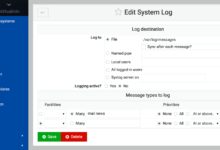
System logs are detailed records generated by operating systems, applications, and network devices that document events occurring within a computing environment. These logs capture everything from user logins and system startups to software crashes and security alerts. They serve as a digital diary, offering a chronological trail of activity that administrators and developers rely on for monitoring and diagnostics.
The Core Purpose of System Logs
The primary function of system logs is to provide visibility into system behavior. Without them, identifying the root cause of a crash or security breach would be like solving a mystery without clues. They enable proactive monitoring, allowing IT teams to detect anomalies before they escalate into major issues.
- Track system performance over time
- Identify unauthorized access attempts
- Support compliance with regulatory standards like GDPR or HIPAA
Types of Events Captured in System Logs
Different systems log different types of events, but common categories include authentication attempts, service startups and shutdowns, hardware failures, and application errors. For example, a failed login might appear as a security event, while a disk space warning would be logged under system health.
“If you can’t measure it, you can’t improve it.” – This quote by Peter Drucker perfectly applies to system logs, which provide the measurable data needed for continuous improvement in IT operations.
How System Logs Work Across Different Platforms
While the concept of logging is universal, the implementation varies significantly across operating systems and platforms. Understanding these differences is crucial for effective system management.
Windows Event Logs: Structure and Access
Windows uses a centralized logging system known as the Windows Event Log, which organizes entries into channels: Application, Security, and System. Each event includes metadata such as event ID, source, level (e.g., Error, Warning, Information), and timestamp. Administrators can access these logs via the Event Viewer tool or PowerShell commands like Get-WinEvent.
For instance, Event ID 4625 indicates a failed login attempt, a critical clue in detecting brute-force attacks. Microsoft provides comprehensive documentation on event IDs here.
Linux Syslog and Journalctl: The Backbone of Unix Logging
On Linux systems, the traditional syslog protocol has long been the standard for message logging. Services write to log files typically stored in /var/log/, such as auth.log for authentication events or syslog for general system messages.
Modern Linux distributions use systemd-journald, which provides structured logging through the journalctl command. This tool allows filtering by service, time range, or priority level. For example, journalctl -u ssh.service shows all SSH-related logs.
Learn more about systemd logging at the official freedesktop.org documentation.
macOS Console and Unified Logging System
Apple’s macOS employs the Unified Logging System (ULS), introduced in macOS Sierra, which improves efficiency and privacy. Logs are stored in a binary format and accessed via the log command or the Console app. Unlike older text-based logs, ULS reduces disk usage and enhances searchability.
Developers can use log show --predicate 'subsystem == "com.apple.security"' to filter security-related entries. Apple’s developer guide on logging is available here.
The Critical Role of System Logs in Cybersecurity
In today’s threat landscape, system logs are a first line of defense. They provide the evidence needed to detect, investigate, and respond to cyberattacks.
Detecting Intrusions Through Log Analysis
Security Information and Event Management (SIEM) systems like Splunk or IBM QRadar ingest system logs from multiple sources to identify suspicious patterns. For example, repeated failed login attempts followed by a successful one could indicate a compromised account.
Logs also help trace the attacker’s movements post-breach. By analyzing timestamps and accessed resources, security teams can reconstruct the attack timeline.
Compliance and Audit Requirements for System Logs
Industries such as finance and healthcare are subject to strict regulations requiring log retention and monitoring. The Payment Card Industry Data Security Standard (PCI DSS) mandates logging of all access to cardholder data. Similarly, HIPAA requires healthcare providers to maintain audit trails of electronic protected health information (ePHI).
Failure to maintain proper system logs can result in hefty fines. According to the PCI Security Standards Council, organizations must retain logs for at least one year, with a minimum of three months immediately available for analysis.
Log Integrity and Protection Against Tampering
Since attackers often try to erase their tracks, protecting the integrity of system logs is vital. Techniques include writing logs to immutable storage, using write-once-read-many (WORM) devices, or sending logs to a remote, secure server in real time.
Digital signatures and hashing (e.g., SHA-256) can verify that logs haven’t been altered. Tools like OSSEC perform file integrity monitoring, alerting when log files are modified.
Best Practices for Managing System Logs
Effective log management goes beyond just collecting data. It involves strategy, automation, and ongoing maintenance to ensure logs remain useful and secure.
Centralized Logging: Why You Need a SIEM
As networks grow, managing logs from hundreds of devices becomes unmanageable without centralization. A SIEM solution aggregates system logs from servers, firewalls, endpoints, and applications into a single dashboard.
This enables correlation of events across systems. For example, a failed login on a server combined with a firewall rule change might indicate insider threat activity. Popular SIEM platforms include Splunk, LogRhythm, and Elastic Stack (ELK).
Log Rotation and Retention Policies
Uncontrolled log growth can consume disk space and slow down systems. Log rotation automatically archives or deletes old logs based on size or age. On Linux, logrotate is commonly used, configured via files in /etc/logrotate.d/.
Retention policies should align with legal and operational needs. While some logs may be kept for 30 days, compliance requirements might demand retention for years. Always document your policy and ensure backups are secure.
Real-Time Monitoring and Alerting
Waiting for a system failure to review logs is too late. Real-time monitoring tools scan incoming system logs for predefined patterns and trigger alerts when anomalies are detected.
For example, a sudden spike in error messages from a web server could signal a DDoS attack. Tools like Nagios, Zabbix, or Datadog can integrate with log sources to provide instant notifications via email, SMS, or Slack.
Common Challenges in System Logs Management
Despite their value, managing system logs presents several challenges that organizations must overcome to derive real benefit.
Log Volume and Noise: Separating Signal from Clutter
Modern systems generate massive volumes of logs—terabytes per day in large enterprises. Much of this data is routine and low-priority, creating “noise” that can drown out critical alerts.
To combat this, organizations use log filtering, normalization, and machine learning to prioritize high-risk events. For example, suppressing repetitive informational messages while highlighting failed authentication attempts improves signal clarity.
Log Format Inconsistencies Across Systems
Different vendors and software use varying log formats, making aggregation and analysis difficult. Some use plain text, others JSON, and timestamps may be in local time or UTC.
Standardization efforts like the Common Event Expression (CEE) and use of tools like Fluentd or Logstash help normalize formats before storage. Ensuring all systems use UTC timestamps and structured logging (e.g., JSON) simplifies cross-platform analysis.
Performance Impact of Excessive Logging
While logging is essential, excessive verbosity can degrade system performance. Writing logs to disk consumes I/O resources, and high-frequency logging can slow down applications.
Best practice is to use log levels (DEBUG, INFO, WARN, ERROR) judiciously. In production, DEBUG logs should be disabled unless troubleshooting. Asynchronous logging, where messages are queued and written in the background, can reduce performance impact.
Tools and Technologies for Analyzing System Logs
A variety of tools exist to collect, store, analyze, and visualize system logs. Choosing the right stack depends on scale, budget, and technical expertise.
Open Source Solutions: ELK Stack and Graylog
The ELK Stack (Elasticsearch, Logstash, Kibana) is one of the most popular open-source logging solutions. Elasticsearch stores and indexes logs, Logstash processes and enriches them, and Kibana provides dashboards for visualization.
Graylog offers similar capabilities with a user-friendly interface and built-in alerting. Both support parsing system logs from diverse sources and are highly customizable. Learn more at Elastic’s official guide or Graylog documentation.
Commercial Platforms: Splunk and Datadog
Splunk is a market leader in log analytics, offering powerful search, monitoring, and machine learning features. It can ingest any type of data, including system logs, and provides pre-built dashboards for IT operations and security.
Datadog focuses on cloud-native environments, integrating logs with metrics and traces for full-stack observability. Its AI-powered anomaly detection helps surface issues automatically.
Cloud-Based Logging Services
Major cloud providers offer native logging tools. AWS CloudWatch Logs captures logs from EC2 instances and Lambda functions. Google Cloud Logging (part of Operations Suite) provides real-time log management for GCP services. Azure Monitor Logs serves a similar role for Microsoft Azure.
These services simplify log collection in hybrid and multi-cloud environments, offering scalable storage and built-in analytics. They also integrate with security tools like AWS GuardDuty for threat detection.
Future Trends in System Logs and Observability
The field of logging is evolving rapidly, driven by cloud computing, AI, and the need for real-time insights.
The Rise of Observability Beyond Traditional Logs
Modern IT environments demand more than just logs. The concept of observability combines logs, metrics, and traces to provide a holistic view of system health.
While system logs tell you *what* happened, distributed tracing shows *how* a request flowed through microservices, and metrics reveal performance trends. Tools like OpenTelemetry are standardizing how this data is collected and shared across platforms.
AI and Machine Learning in Log Analysis
Artificial intelligence is transforming log analysis by identifying patterns humans might miss. ML models can learn normal behavior and flag deviations, reducing false positives.
For example, an AI system might detect a subtle increase in database query times that precedes a full outage. Companies like Splunk and Datadog are embedding AI into their platforms for predictive analytics and automated root cause analysis.
Edge Computing and Decentralized Logging
As computing moves to the edge—IoT devices, remote sensors, and mobile systems—centralized logging faces latency and bandwidth challenges.
Future systems will use decentralized logging models, where edge devices perform local analysis and only send critical events to the cloud. Blockchain-based logging is also being explored for tamper-proof audit trails in distributed environments.
What are system logs used for?
System logs are used for monitoring system health, diagnosing errors, detecting security breaches, ensuring compliance with regulations, and improving performance through data-driven insights.
How long should system logs be kept?
Retention periods vary by industry and regulation. General best practice is to keep logs for at least 30–90 days, while compliance standards like PCI DSS require retention for one year (with three months readily accessible).
Can system logs be faked or tampered with?
Yes, attackers can alter or delete local logs to hide their activity. To prevent this, logs should be sent to a secure, remote server, stored on write-once media, or protected with cryptographic hashing and digital signatures.
What is the difference between logs and events?
An event is a single occurrence (e.g., a user login), while a log is a record that documents one or more events. System logs collect and store events in a structured format for later analysis.
How do I view system logs on my computer?
On Windows, use Event Viewer. On Linux, use journalctl or check files in /var/log/. On macOS, use the Console app or the log command in Terminal.
System logs are far more than technical artifacts—they are the heartbeat of modern IT infrastructure. From troubleshooting everyday glitches to defending against sophisticated cyberattacks, they provide the visibility needed to maintain control. As technology evolves, so too will the tools and methods for managing these critical records. By adopting best practices in log collection, analysis, and protection, organizations can turn raw data into actionable intelligence. Whether you’re a system administrator, developer, or security analyst, mastering system logs is no longer optional—it’s essential for success in the digital age.
Further Reading: